
Network Bandwidth Is Low Zoom Fix
Now that you have identified the weapons in your arsenal here is how to deploy them. Hello guys In this quick tutorial I am showing how to fix slow internet speeds and low bandwidth issues in windows 10 laptop or PCs.
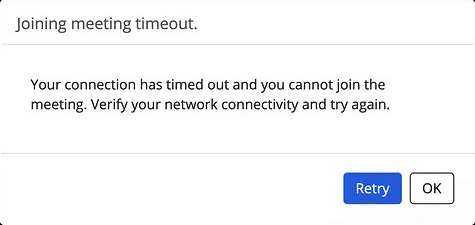
How To Fix Your Internet Connection Is Unstable Zoom Error
Communicate with the instructor or moderator of your Zoom meeting.

Network bandwidth is low zoom fix. 3 Steps To Diagnosing Bandwidth Complaints. It can bond your Wi-Fi and cellular connection simultaneously in a single pipe on your mobile device. When you host.
Use a WiFi extender such as Amped Wireless or Linksys to increase the distance and strength of your WiFi signal Use a higher poweredlong-range WiFi such as Amped Wireless router or adapter to increase the WiFi signal on your PC or Mac Home Use a DOCSIS 30 cable modem if you have cable modem to improve internet performance. Before a Zoom meeting test your audio or video connection on the Zoom test site at zoomustest If you are connecting from a laptop plug the laptop into wall power. If your Speedtest results indicate that your network has low upload or download speeds try one or more of the following steps and then retry the test.
Low Bandwidth Options for Zoom. If the best Internet connection you have for Zoom is a slow one such as a weak cellular data connection let the person or people running your session know ahead of time. The good news is that Zoom is designed to work in low-bandwidth environments.
The bandwidth used by Zoom is optimized for the best experience based on the participants network. My network has low bandwidth. Battery use can adversely affect video quality.
Go to Settings Network Internet Click on your internet connection Scroll down to IP settings and click on the IP assignment button Select Manual and enable IPv4 or IPv6 depending on your network and hardware configuration. Try one or more of these steps first Close any browser tabs or applications that may be using a lot of bandwidth like video streaming audio streaming Voice Over IP services or web. A camera feed from a webcam showing the video of you speaking takes more bandwidth and may affect the quality of your Zoom session if you have a slower connection.
When you get an unstable connection on Zoom while at home or on the go then youll have to refer to your Internet infrastructure and your ISP. Zoom lacks the bandwidth friendly features of other videoconferencing software such as Blackboard Collaborate but there are ways to make it more usable. One option if you have a limited or unreliable Internet connection is to use a phone for audio.
Analyze SNMP data for your network links. It doesnt hurt to give them a nudge anyway. You can understand whats really going on with your network bandwidth in three steps.
If you want to download Zoom App Zoom for window Zoom App Download for pc mac Ipad Android Ubuntu Linux and browser extension for Zoom App Click Here Zoom App download. To turn off HD in your Zoom client. To prevent or address issues with Zoom.
In the My Video section uncheck the box beside Enable HD if it. You can always check your network usage using Activity Monitor on the Mac or Task Manager in Windows to pinpoint which programs are data hogs. After watching his sho.
Collaboration resulting in poor audio and video quality and a less effective meeting experience. If they really are saturated that should be obvious. The bandwidth is automatically adjusted according to 3G or WiFi.
In your desktop Zoom client click Settings the gear icon. Low bandwidth is less than 12 Mbps for each concurrent browser session with a VM or 15 Mbps for each session that uses VM audio. Turn off your video to reduce the amount of bandwidth used for those situations where.
You can also reduce your bandwidth somewhat by muting your audio when youre not speaking. If youre connecting to Zoom from work on an enterprise Internet connection most probably the tech support team is already scrambling to fix it. Click Video in the left-hand menu.
Their networks reducing the bandwidth available for video. Stop Camera Feed. What can I do.
Low bandwidth is less than 12 Mbps for each concurrent browser session with a VM or 15 Mbps for each session that uses VM audio. The Speedify app works by monitoring the quality of your Internet connections in the background. Speedify makes Zoom issues related to your Internet connection dissapear.
Or combine any number of connections on a computer. If your Internet is unstable stop your video feed.
How To Fix Zoom Error Code 104101 Can T Connect To Your Service In Windows 10 Windows Bulletin Tutorials
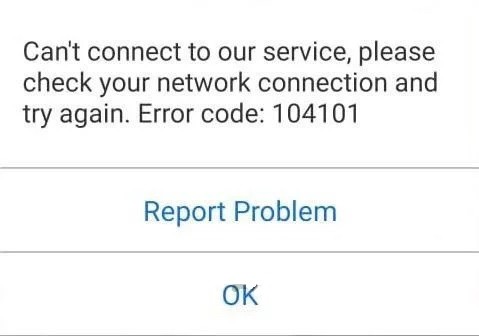

Zoom Network Connection Failed 1010 Jobs Ecityworks

How To Fix The Zoom Connection Unstable Error Speedify

How To Monitor Network And Zoom Performance Fix Your Internet Connection Is Unstable On Zoom By Alyssa Lamberti Obkio Medium

How To Fix The Zoom Connection Unstable Error Speedify
Fix Zoom Error Your Internet Connection Is Unstable Technipages

What Internet Speed Do I Need For Zoom Techregister

How To Monitor Network And Zoom Performance Fix Your Internet Connection Is Unstable On Zoom By Alyssa Lamberti Obkio Medium

Using Zoom With Slow Internet Youtube

How To Fix Zoom Network Error Fix Zoom Meetings Internet Connection Error Windows 10 8 7 Youtube

Solutions For Poor Internet Connection While Using Zoom Youtube

Posting Komentar untuk "Network Bandwidth Is Low Zoom Fix"