
Network 7 Internet Access
Open a command prompt and run route print to see what it looks like. This thread is locked.

How To Fix Internet Connected But No Internet Access Solution Internet Access Problem And Solution Solutions
This indicates that you are connected to Internet using Network 3.
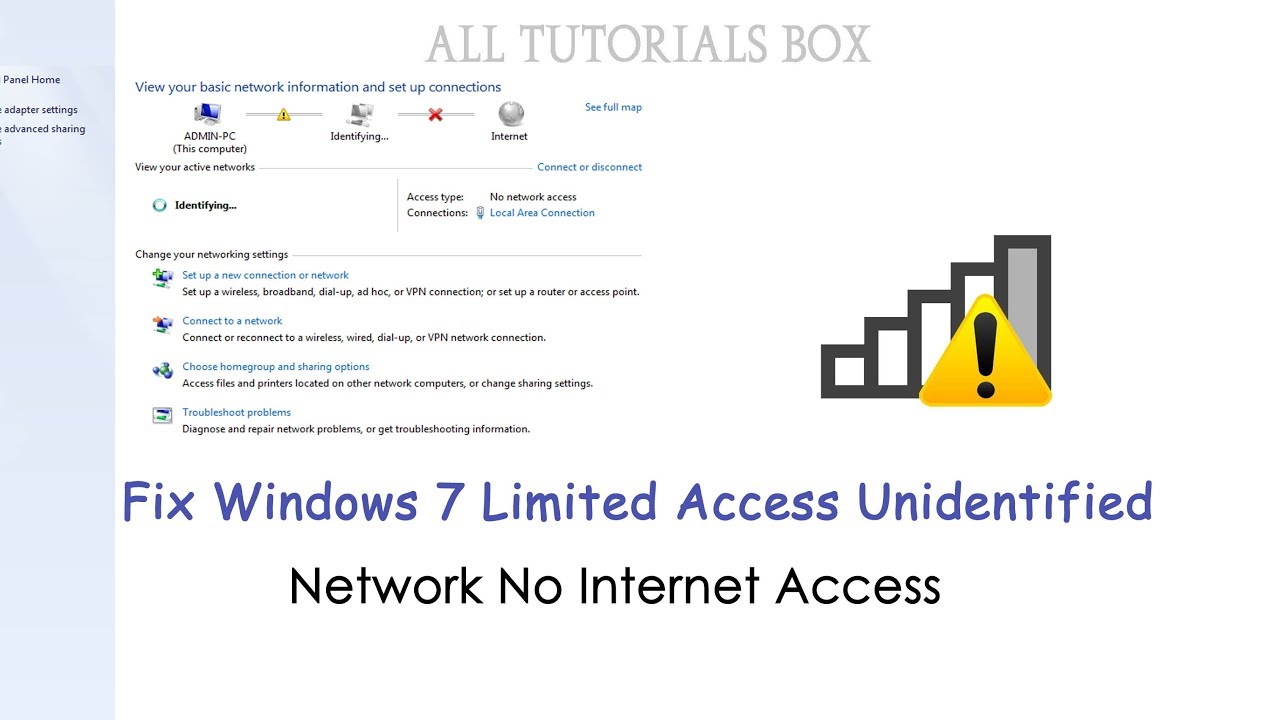
Network 7 internet access. Ive found a few articles where people experienced similar issues. Change Wireless Mode on Router. With this step by step guide youll be able to take all of the necessary steps to fix your internet so that you can get back online as soon as possible.
NetworkInternet access Can someone help me. I have no idea why this worked but it did. I could ping my gateway and internal sites and servers email was fine but I could not get out to google or any other EXTERNAL site even though I was just browsing them a few minutes ago.
I was trying to access internet on my Dell E6400 Win 7 via a Netgear repeater. Unidentified Network No Internet Access Windows 1087 Fixed - How to Fix Network Issues WindowsGetting unidentified network no internet access error after. Windows 7 Network Connected but No Internet Access by Richard Wright.
This person is a. I have a few users on Windows 7 PCs and they are getting a message on their Network Sharing Center that says that while there are connected to the domain there is no internet access. It will not go away.
I would suggest you. Launch this software go to Tools. This is an exceptional case and happens only if you have an old Wi-Fi card or device installed.
If you are getting internet access on your PC by connecting to the router via ethernet cable chances are there is a communication barrier between these two devices. Then out of the blue I lost internet access ONLY. Check the issue in Clean Boot Mode.
The interface that has 0000 assigned to it will be the one used for internet access. What is network 2 internet access box in lower right of screen. I have tried customizing icons.
I could connect to the repeater but it said no internet access while at the same time my other computer Mac could access the internet via that same repeater. And one way to fix that is by changing the. When I am connected to the internet.
Initially it works well and the Netwwork icon on the icon tray also shows fine. Anyway I restarted holding F8 and now it works just fine. As per description you are getting an icon which says Network 3- Internet Access.
In one case the ifcfg-connection file had an incorrect MAC address. The internet is great but what about when the internet doesnt actually work. Windows 7 build 7057 EEE 1000HE I seem to have a situation where my wireless connection does not include my local network so I cannot see or connect to any local computers on my network but I can connect to the internet just fine wirelessly.
We have RHEL 7 installed within a virtual environment HP c7000 blade. Unidentified Network No Internet Access Windows 10 8 7 Fixed How to Fix Network Issues WindowsGift Animated Search Engine https. However if you are using another network you may delete this network icon.
Unidentified Network No Internet Access Windows 7810 Fixed How to Fix Network Issues WindowsWe use Internet on daily basis and its a major problem for. Turned off network notifications and icons. Since the issue reoccurs after reinstalling av trendmicro for a while I suggest you try the following steps to rule out influence of any third party software.
Click Browse to select a location to save the offline scan file. This is decided by the routing table on your computer. However along the way it will show me the mark on the icon and shows no internet access.
Now lets see how to install network adapter driver without Internet Windows 7 with Driver Easy. I checked and confirmed that the file had the correct MAC address. The network connection will not get an IP via DHCP and will not connect to the internetLAN with a valid IP.
In most cases a little bit of troubleshooting should help fix any unidentified network errors or no internet in Windows. But it seems to affect our users being able to open up files directly from the server in their Office program. You can follow the question or vote as helpful but you cannot reply to this.
Under the Offline Scan interface choose the first option for your computer without Internet access. If there are more than one with 0000 then the. Every user are able to use the internet and webpages are loaded with no issues however.
Clean Boot is a step of troubleshooting we can go back to normal by running MSCONIFG.

7 Steps To Starting An Internet Business Internet Marketing Internet Marketing Internet Business Internet Get Internet

How To Connect Pc Internet To Mobile Via Wifi In Windows 7 Virtual Router Wifi Wireless Networking

25 Computer Networking Tips And Tricks Networking Computer Jobs Home Security Tips

How To Fix Unidentified Network Or No Internet Access On Windows 10 7 Windows 10 Fix It Windows
Fix Windows 7 Limited Access Unidentified Network No Internet Access Internet Access Networking Online Tutorials

Wifi Connected But No Internet Access Fix For Windows 10 8 7 2020 Solved Wifi Connect Wifi Modem Router

7 Router Features You Should Be Using For Better Wi Fi Router Wifi Wireless Networking

Windows 7 Wifi Hotspot If Your Laptop Is The Only Thing That Has Internet Likely Won T Connect Your W Hotspot Wifi Wireless Networking Wireless Access Points
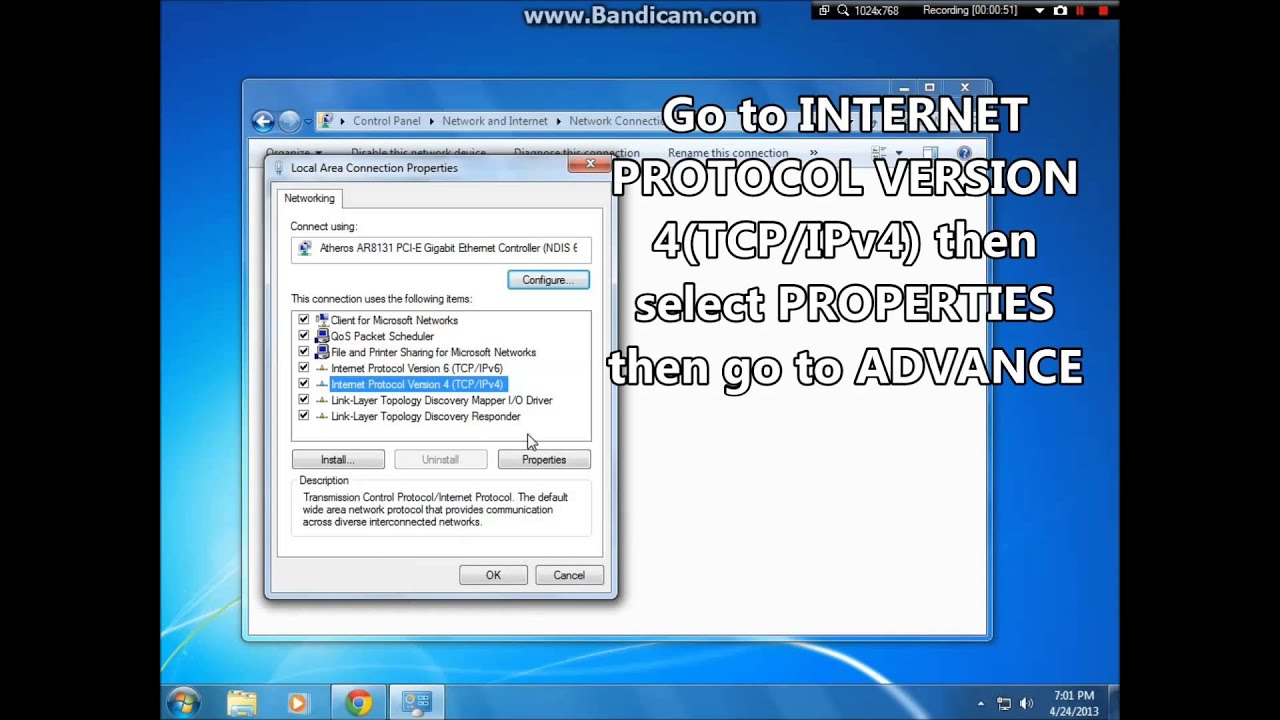
How To Fix No Internet Connection Windows 7 Multiple Network Unidentified Network Internet Connections Networking Internet Network

Case 7 Wireless Networking Ntk Setting Up Wireless Networking Electronics Projects Computer Technology

Error 711 In Windows 7 Appears When One Or More Mandatory Services Are Disabled The Direct Significanc Videos Tutorial Customized Windows Internet Connections

Posting Komentar untuk "Network 7 Internet Access"